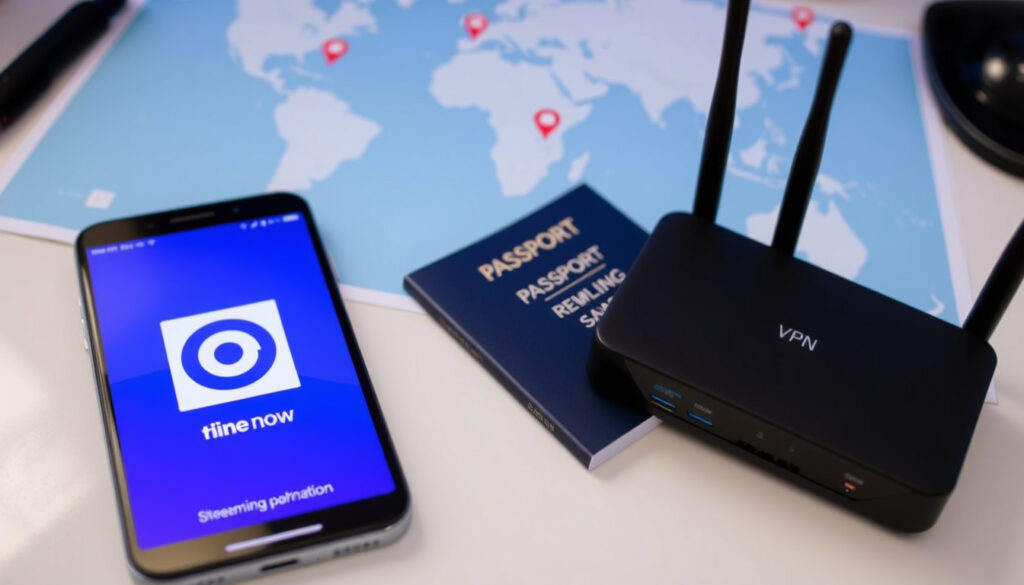
Nine Now App: Free, Install Guide & Watch Abroad with VPN
If you’ve heard about 9Now but aren’t sure whether it’s free, how to install it, or whether you can watch it from abroad, you’re not alone. This guide walks through exactly what the service offers, how to get it running on any device, and what options exist for accessing it outside Australia — including the VPN workarounds that actually work.
Free to use: Yes, ad-supported ·
Live channels: Channel 9, 9Gem, 9Go!, 9Life, 9Rush ·
Devices supported: Smart TVs, mobile, tablet, computer, streaming devices ·
International access: Restricted to Australia; VPN often used
Quick snapshot
- Channel 9’s free streaming service (Google Play listing by Nine Network Australia Pty Ltd)
- Live TV and catch-up (Apple App Store 9Now Exclusives mention)
- Available on multiple devices (Google Play listing device compatibility)
- Free to use (Google Play listing pricing info)
- Ad-supported (Google Play listing ad model)
- No hidden fees (implied by service description) (Google Play listing pricing info)
- Smart TVs (Windscribe Smart TV compatibility guide)
- Mobile phones and tablets (Google Play listing mobile support)
- Computers and streaming devices (Apple App Store Apple TV support)
- Geo-blocked outside Australia (ZoogVPN licensing agreement explanation)
- VPN can bypass (ExpressVPN three-step setup guide)
- Some content may still be restricted (ZoogVPN licensing agreement explanation)
The snapshot reveals a clear pattern: a free, ad-supported platform locked to Australian viewers.
| Feature | Detail | Source |
|---|---|---|
| Service name | 9Now | Google Play listing official app store |
| Owner | Nine Entertainment | Google Play listing publisher identification |
| Content type | Live TV, catch-up, exclusives | Apple App Store exclusives description |
| Pricing | Free with ads | Google Play listing pricing info |
| Geographic availability | Australia only (official) | ZoogVPN licensing agreement explanation |
| Contact domain | @9now.com.au | Google Play listing developer contact |
Is 9Now free to use?
The service is completely free and supported by advertisements. No subscription or credit card is required to start streaming.
What features are available for free?
- Live streaming of Channel 9, 9Gem, 9Go!, 9Life, and 9Rush (ExpressVPN live channels overview guide)
- On-demand catch-up of recent shows and movies (Google Play listing catch-up mention)
- 9Now Exclusives — original content only on the platform (Apple App Store exclusives description)
- Ability to create a free account to resume watching across devices
Are there any paid subscriptions?
No. 9Now does not offer a paid tier. The entire library is accessible with a free account. The trade-off is that you’ll see commercial breaks, just like live TV.
The implication: 9Now operates as a pure ad-supported model, which means revenue comes from advertisers, not from user subscriptions. This keeps it accessible to every Australian, but also ties its content licensing to Australian rights agreements — explaining the geo-block.
How to install 9Now app?
Installation varies slightly by device, but the process is straightforward on all major platforms.
Install on Android phone or tablet
- Open the Google Play Store and search for “9Now” (Google Play listing for 9Now)
- Tap “Install” and wait for the download to finish
- Open the app, sign in or create a free account, and start streaming
Install on iPhone or iPad
- Open the App Store and search for “9Now” (Apple App Store listing for 9Now)
- Tap “Get” and authenticate with Face ID or your Apple ID password
- Launch the app and log in
Install on smart TV
- Samsung / LG / Sony: Open the TV’s app store (e.g., Samsung Smart Hub, LG Content Store), search for “9Now”, and install (Windscribe Smart TV compatibility guide)
- Android TV / Google TV: Use the Google Play Store on the TV (see next section)
- Apple TV: Search for “9Now” in the tvOS App Store and install (Apple App Store Apple TV support)
Install on PC
- Visit 9now.com.au in any browser and log in to stream directly
- Alternatively, download the 9Now desktop app from the Microsoft Store (Windows only)
How do I find the 9Now app on my Android TV?
If your Android TV is set to an Australian Google account, the app should appear in the Play Store. If not, a few tweaks may be needed.
Using the Google Play Store on Android TV
- Ensure your Android TV is connected to the internet
- Go to the Google Play Store app on the TV home screen
- Search for “9Now” using the on-screen keyboard
- If found, select and install
Searching manually
- If the app doesn’t appear, check that your TV’s Google account region is set to Australia
- You may need to add an Australian Google account or change the device’s region in settings (Windscribe regional account note guide)
Voice search
Press the microphone button on your Android TV remote and say “9Now”. If the app is available for your region, the Play Store listing will appear.
The catch: Without an Australian Google account, the Play Store will not show the app at all. This is the same geo-restriction that applies to streaming content.
Does 9Now work internationally?
Officially, no. 9Now is licensed exclusively for viewers within Australia.
Geo-restrictions explained
When you try to access 9Now from outside Australia, the service detects your IP address and blocks playback. This is due to content licensing agreements that limit rights to Australian territory (ZoogVPN licensing rationale guide).
Using a VPN to access 9Now abroad
Virtual Private Networks (VPNs) can circumvent the geo-block by assigning you an Australian IP address. Multiple VPN providers offer Australian servers:
- ExpressVPN: Connect to an Australian server, then log into 9Now (ExpressVPN three-step setup guide)
- Proton VPN: Requires a Plus subscription to access Australian servers (Proton VPN Plus server requirement support)
- Windscribe: Works on phones, tablets, and Smart TVs (Windscribe device compatibility guide)
- ZoogVPN: Provides Sydney-based servers specifically for 9Now (ZoogVPN Sydney server guide)
Keep in mind: using a VPN may violate 9Now’s terms of service, though no users have reported account bans for streaming alone.
Alternative streaming services
If a VPN isn’t an option, consider paid Australian streaming services like Kayo Sports or Binge, or free ad-supported platforms available in your region such as Pluto TV or Tubi. They won’t have 9Now’s specific shows, but they fill the gap for live and catch-up TV.
A free service like 9Now is inherently tied to Australian ad markets. International viewers must either accept the VPN route, which adds cost and complexity, or switch to a local alternative.
How to watch 9Now Australia with a VPN?
If you’re outside Australia and want to stream 9Now, here’s the exact process recommended by multiple VPN providers.
Choosing a VPN for 9Now
- ExpressVPN: Fast Australian servers, dedicated 9Now guide (ExpressVPN 9Now guide)
- Windscribe: Works on phones, tablets, and Smart TVs (Windscribe 9Now guide)
- Proton VPN: Requires Plus subscription for Australian server (Proton VPN support article)
- ZoogVPN: Sydney dedicated servers (ZoogVPN 9Now guide)
Step-by-step VPN setup
- Sign up for a VPN that offers Australian servers (ExpressVPN, Windscribe, Proton VPN, or ZoogVPN) (ExpressVPN sign-up step)
- Download and install the VPN app on your device
- Connect to an Australia server (e.g., Sydney or Melbourne) (Windscribe connection instruction)
- Open the 9Now app or website — you should now see Australian content
- Log in with your free 9Now account (or create one) (ExpressVPN login step)
- Start streaming
Testing connectivity
- If streaming fails, try clearing the app cache or browser cookies
- Switch to a different Australian server (e.g., from Sydney to Melbourne)
- Ensure the VPN is running before launching 9Now (Proton VPN suggestion)
- Some free VPNs may be blocked by 9Now — a premium VPN is more reliable
For viewers in Ireland, the UK, or elsewhere, the only reliable way to access 9Now is a paid VPN with Australian servers. Free VPNs rarely work because 9Now actively blocks known VPN IP ranges.
Confirmed facts
- 9Now is free and ad-supported
- Requires an Australian IP address to stream without VPN
- Available on major app stores and most smart TV platforms
- VPN providers like ExpressVPN, Windscribe, Proton VPN, and ZoogVPN offer working Australian connections
What’s unclear
- Exact number of users
- Future plans for international expansion
- Effectiveness of all VPNs with 9Now
- Whether using a VPN violates terms of service in practice
“9Now is your destination for live streaming and on-demand content from all of Nine’s TV channels.” — 9Now official site (Google Play description)
“Take control of your viewing experience with 9Now.” — Google Play listing (Google Play tagline)
The takeaway is straightforward: 9Now is the free, ad-supported streaming arm of Nine Entertainment, but its availability stops at Australia’s borders. For Australian residents, it’s a no‑brainer — live and catch‑up TV with no cost. For international viewers, the equation changes: a VPN subscription adds around $5–$10 a month, and you still carry the risk of geo‑block detection. For viewers in Ireland or Europe who want Nine’s content, the most reliable option is a paid VPN with Australian servers — or acceptance that some shows will remain out of reach.
Related reading: **Love It or List It Australia** · **Fire Country Season 4: Cast Departures, Renewal & Streaming**
Frequently asked questions
How to cast 9Now to TV?
Use Chromecast built-in from the mobile app (tap the cast icon), or AirPlay from an iPhone/iPad to Apple TV. 9Now also supports Chromecast directly (Apple App Store Chromecast support).
Does 9Now have subtitles?
Yes, many shows offer closed captions. On mobile, tap the screen and select the CC icon. On TV, use your remote to enable subtitles. Availability varies per program.
Can I download shows on 9Now?
No, 9Now does not offer offline downloads. Streaming requires an active internet connection.
Is 9Now available on Apple TV?
Yes. 9Now is available on Apple TV via the tvOS App Store (Apple App Store Apple TV compatibility).
How to delete 9Now account?
Log in to your account on the 9Now website, go to Settings, and look for Account Deletion. You may need to contact support at support@9now.com.au.
How to fix 9Now buffering issues?
Check your internet speed (minimum 5 Mbps for HD). Restart the app, clear cache, or switch to a wired connection. If using a VPN, try a different Australian server.
How to update the 9Now app?
On mobile, go to your device’s app store (Google Play or App Store) and check for updates. On smart TVs, updates are typically automatic, but you can force one by looking in the TV’s app settings.
More related posts
 Check My Rego Ireland: Free Vehicle Registration Check Guide
 Dr. Dre: Net Worth, Health, and Relationships in 2025
 Google Share Price Today: GOOG Live Quote & Analysis
 Saddam Hussein: Final Words, Execution & Capture Facts
 Milo Ventimiglia: Biography, Career, and Personal Life Facts
 Yuzuru Hanyu: Age, Retirement, and Career Facts
 Ali MacGraw: Why She Left Hollywood for a Quiet Life